Contact us
tel:15797766463
mail:business@seeshiontech.com
Camera Template Guide
Update time : 2020-03-26 15:08:15
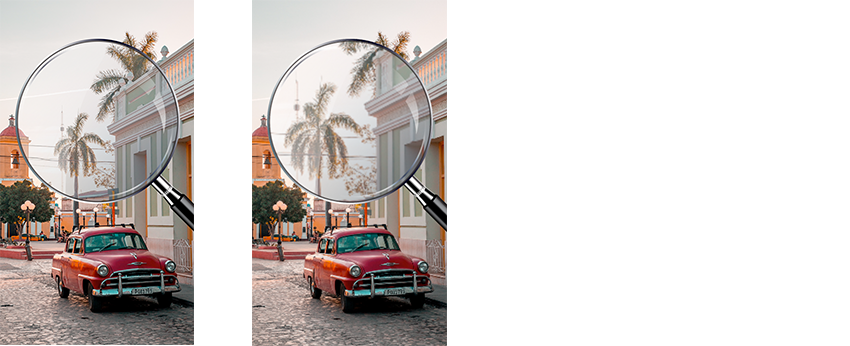
Zoom Effect
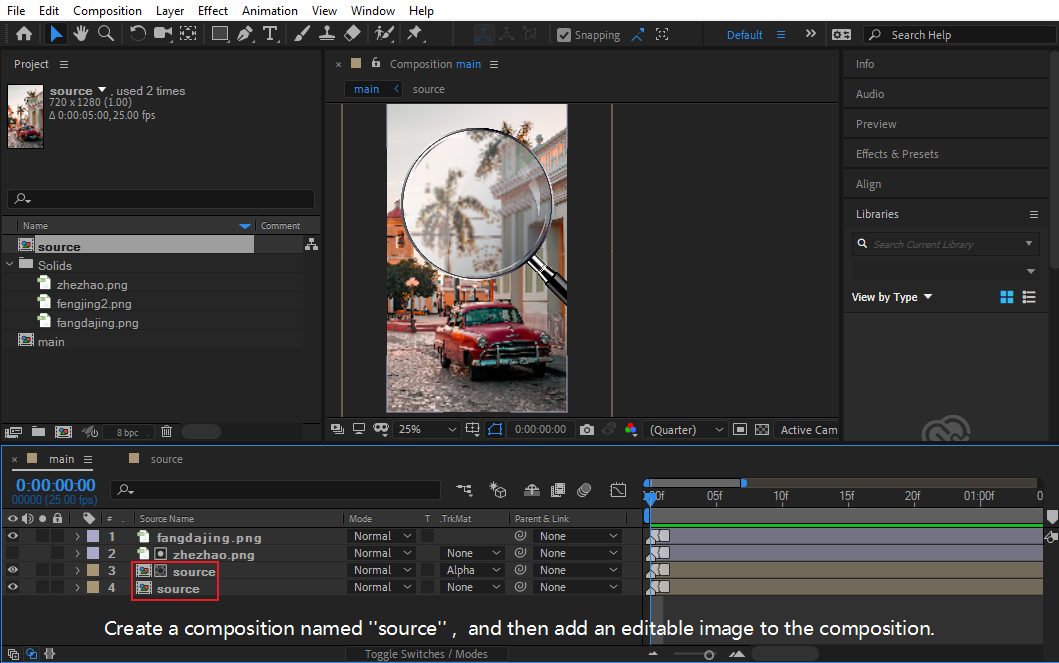
- Create a composition named \'\'source\'\', and then add an editable image to the composition.
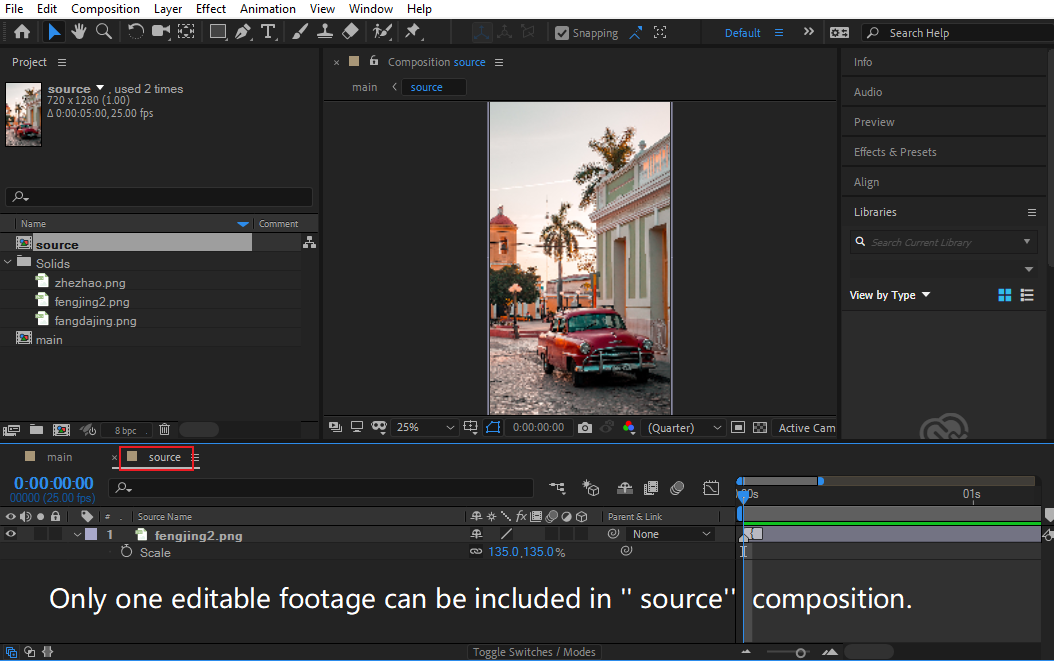
- Only one editable footage can be included in \'\' source\'\' composition.
- Zooming effect can be added after "source" composition.
Export
- Select Camera Template(beta), and then click load comp.
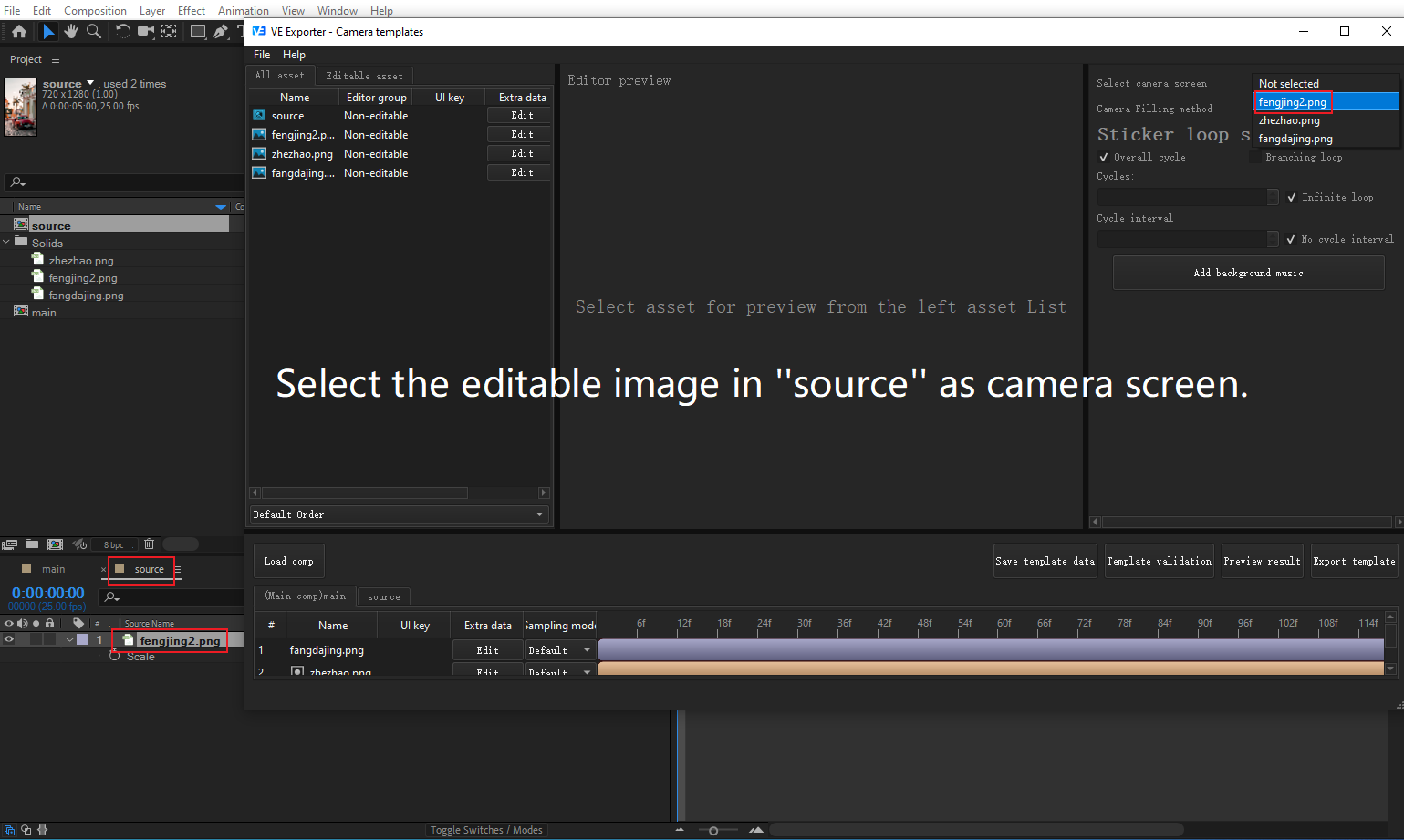
- Select the editable image in \'\'source\'\' as camera screen.
- Export the template.
An example:
Zoom Effect
- Create a composition named \'\'source\'\', and then add an editable image to the composition.
- Only one editable footage can be included in \'\'source\'\' composition.
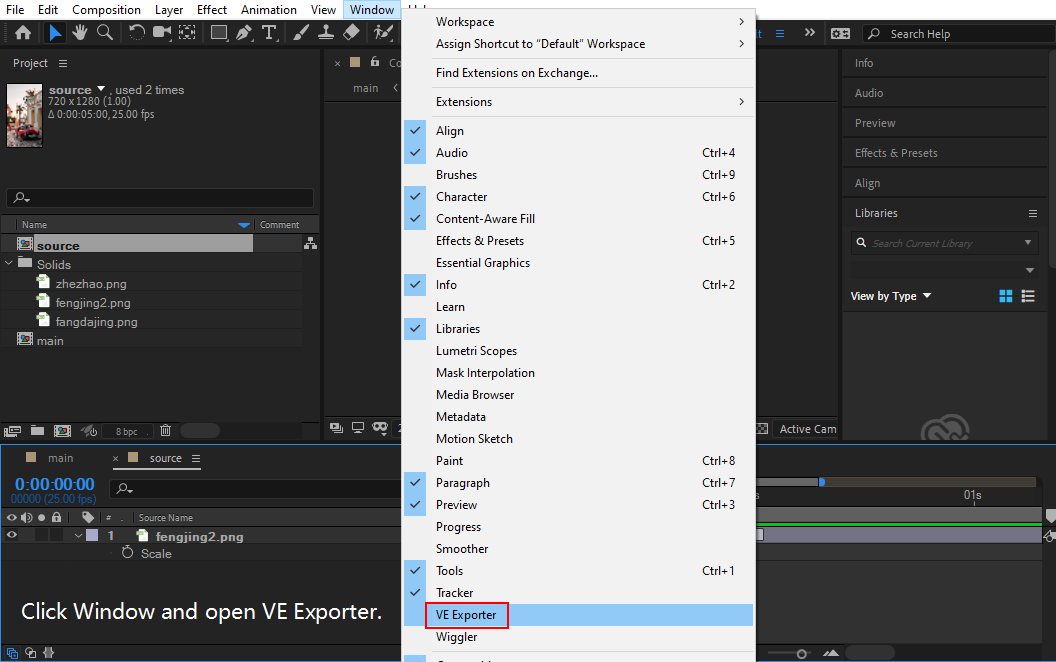
- Click Window and open VE Exporter, then select Camera Template(beta).

-
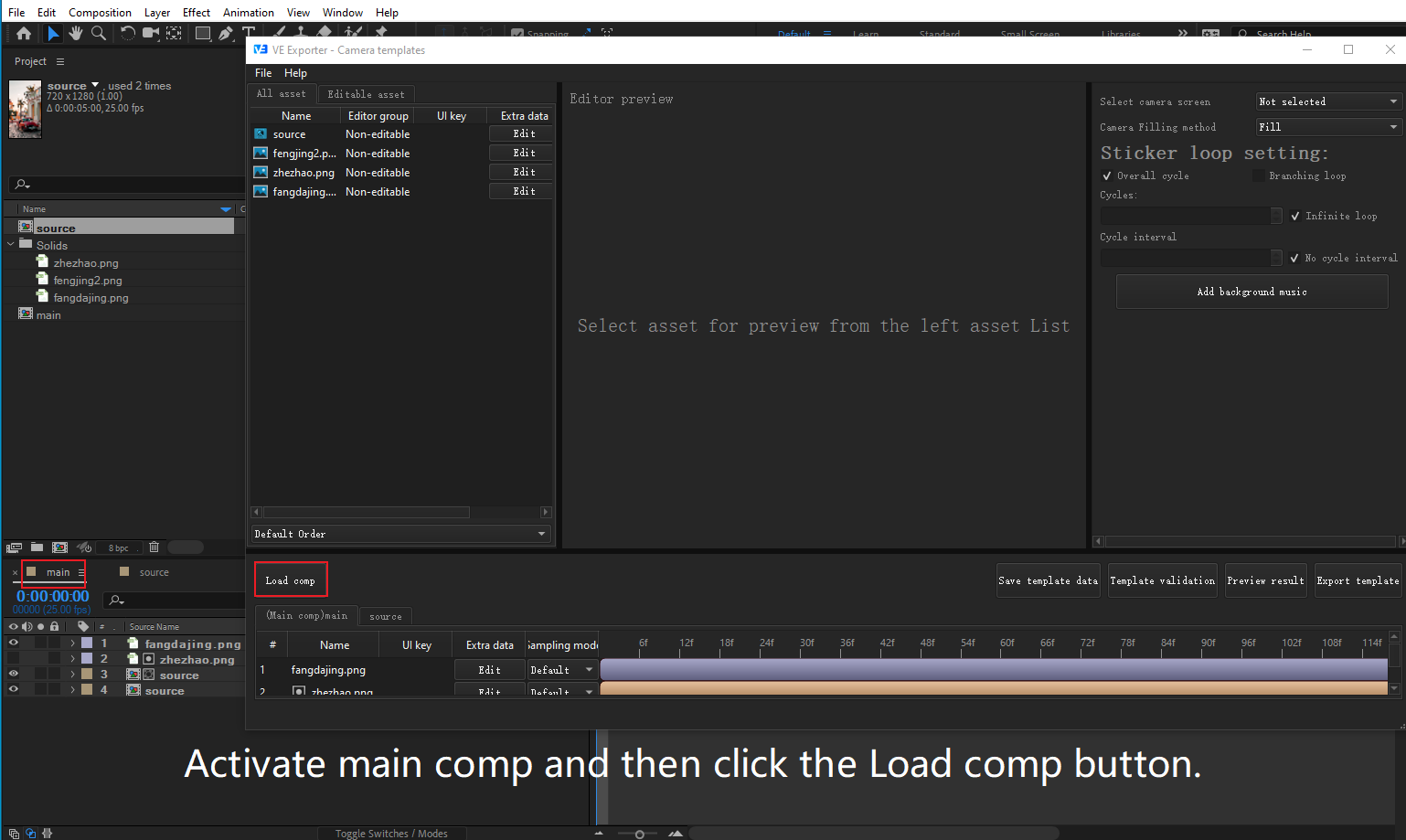
Activate main comp and then click the Load comp button.
-
Select the editable image in \'\'source\'\' as camera screen.
-
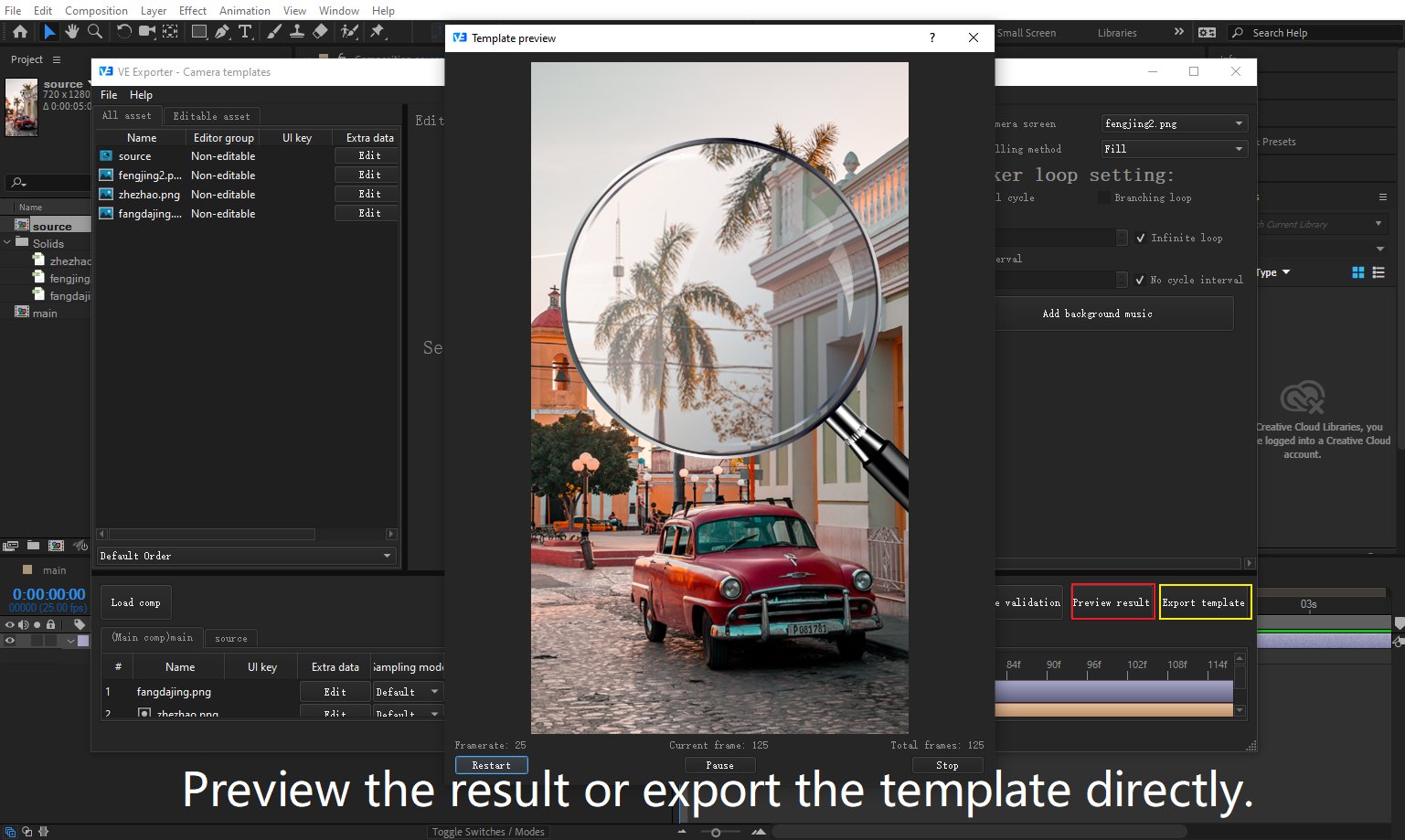
Preview the result or export the template directly.
Template Files



 账号信息
账号信息 我的产品
我的产品 退出登录
退出登录